Lesson: Foundations
Everything is a database
Almost every tool you pay for is a database, some screens to work with it, and calls that move data between databases. Once you see that, you can see what you could own.
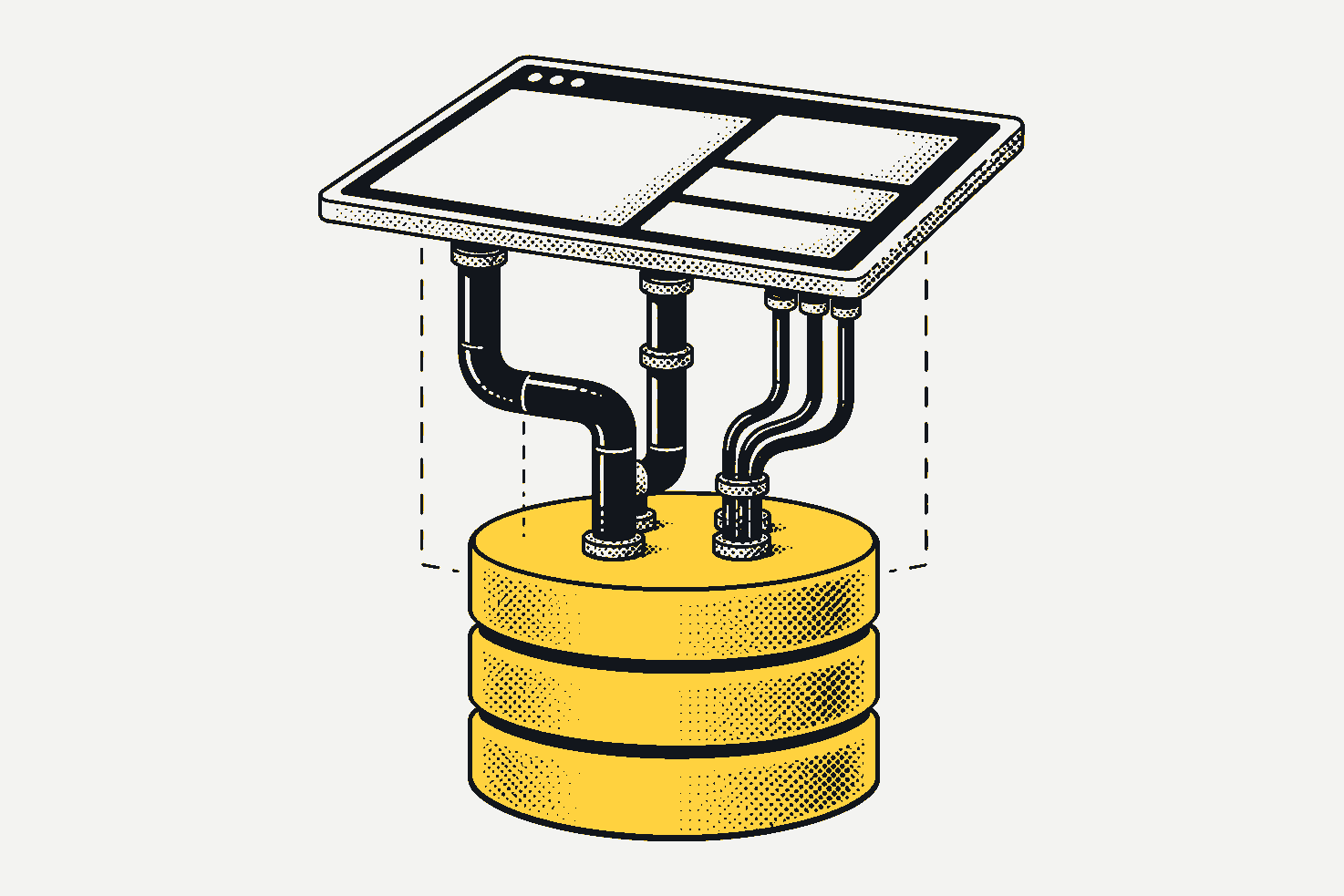
A business is data: orders, stock, customers, invoices. Almost every tool you pay for is a database, some screens to work with it, and calls that move data from one database to another. A website is the same thing: data travelling between databases, shown through screens.
Once you see that, you can see what you could own.
Look inside one tool
Pick the kind of tool closest to one you pay for. The drawing is the same every time, because the shape is the same every time. Only the names on the tables change.
- the screens
- contact lists, a sales pipeline, reports
- product pages, the cart, the admin
- the invoice editor, the client list, what’s overdue
- the calendar, the booking page, reminders
- boards, cards, timelines
- the calls
- email in, calendar out, invoices across
- payments, shipping rates, the marketplaces
- the bank, payment links, the accountant’s export
- calendar sync, text reminders, payments
- chat alerts, file storage, the calendar
- the database
- contacts
- companies
- deals
- notes
- tasks
- products
- orders
- customers
- inventory
- discounts
- clients
- invoices
- line_items
- payments
- taxes
- services
- staff
- time_slots
- bookings
- customers
- projects
- tasks
- people
- comments
- files
Three parts, every time
- The database is where the records live: every customer, order and invoice, as rows in tables.
- The screens are how people read and change those records: the forms, the lists, the reports.
- The calls move records from one database to another: an order out to the shipping tool, an invoice across to the accounting system.
That’s the lens. It doesn’t mean every tool is simple. It means every tool is the same kind of thing, and you can ask the same three questions of each one: what’s in its database, who can reach its screens, and where do its calls send your data?
If everything is a database, why is software so hard?
Because the database is the easy part to see. The work is in the rules around it (who can change what, taxes, audit trails, what happens when two things change at once) and in keeping it right for years. That’s where an agent helps most, with a person who knows the business checking its work.
Data alone is not enough, either. An export without the rules and steps that give it meaning is a pile of rows. That’s why AaSS (Agent as Software Solution) talks about owning three things, not one: the data, the code and the process.
What this means for you
You don’t have to replace anything to start. The first step of the method is to mirror: own a copy of your data, in a database you control, fed from the tools you rent. It replaces nothing and risks nothing, and your agent can already answer questions across all your tools at once.
If what you rent works for you, keep it. The lens is for seeing, not for throwing things out.
Take-home
- Pick one tool you pay for.
- Write down what’s in its database: the kinds of records it keeps.
- Write down its calls: what comes in, and where it goes out to.
- Then ask the leaving test: can you walk away with your data, your code and your process, without asking anyone’s permission?